
Mastering Amazon PPC: The Ultimate Beginner’s Guide to Skyrocket Your Product Sales

Are you ready to take your Amazon sales to the next level? Mastering Amazon PPC can be your golden ticket to boosting your product visibility and skyrocketing sales. In an ever-growing marketplace, standing out from the competition is crucial. This ultimate beginner’s guide will walk you through the essentials of pay-per-click advertising on Amazon, demystifying the core strategies that can drive targeted traffic straight to your listings. From understanding keyword optimization to managing your budgets, we’ll equip you with the tools and insights needed to create compelling ad campaigns that not only capture attention but also convert clicks into loyal customers. Whether you’re just starting or looking to refine your existing campaigns, you’ll find practical tips and techniques that can make all the difference in your selling journey. Get ready to transform your approach and watch your sales soar! Understanding Amazon PPC: A Beginner’s Overview Amazon PPC, or Pay-Per-Click, is an advertising model that allows sellers to promote their products directly on the Amazon platform. It is a crucial tool for increasing product visibility and driving potential customers to your listings. Unlike traditional advertising, with PPC, you only pay when someone clicks on your ad, making it a cost-effective strategy for boosting sales. As a beginner, understanding the foundational elements of Amazon PPC is essential for creating successful campaigns that deliver a high return on investment. Amazon PPC operates within a competitive bidding system, where sellers bid on keywords that they believe customers will use to find products like theirs. When a customer searches for these keywords, Amazon displays ads based on the relevance of the keyword to the product listing and the seller’s bid. The goal is to win the top spot in search results, which can significantly increase the chances of a sale. Therefore, mastering the intricacies of keyword selection and bid management is vital for any seller looking to leverage Amazon PPC effectively. To succeed with Amazon PPC, it’s important to familiarize yourself with the platform’s interface and tools. Amazon provides sellers with a comprehensive dashboard that offers insights into campaign performance, keyword effectiveness, and overall ad spend. By regularly analyzing this data, sellers can make informed decisions about which campaigns to scale, which keywords to optimize, and where to allocate their advertising budget. Understanding these elements forms the basis for launching effective PPC campaigns that can elevate your Amazon business. The Importance of Amazon PPC for Sellers In the vast and competitive world of Amazon, simply listing a product is not enough to guarantee sales. With millions of products available, gaining visibility is one of the biggest challenges sellers face. This is where Amazon PPC becomes indispensable. By using PPC advertising, sellers can ensure that their products appear prominently in search results, reaching customers who are actively looking to buy. This direct access to interested shoppers translates into higher conversion rates and increased sales. Amazon PPC also plays a crucial role in product ranking. Products that generate sales through PPC can experience an increase in organic search rankings, as Amazon’s algorithm considers sales velocity as a key factor. This means that PPC not only helps with immediate visibility but also contributes to long-term success by improving your product’s position in search results. As a result, sellers who master PPC can achieve a compounding effect, where initial PPC investment leads to sustainable organic growth. Beyond visibility and ranking, Amazon PPC provides valuable data about consumer behavior and preferences. By analyzing which keywords and ads perform best, sellers can gain insights into their target audience’s interests and purchasing habits. This information is invaluable for optimizing product listings, refining marketing strategies, and developing new products that meet market demand. In essence, Amazon PPC is not just an advertising tool; it is a strategic asset that can inform and enhance every aspect of your Amazon business. Key Terminology You Need to Know Before diving into the world of Amazon PPC, it’s important to familiarize yourself with the key terminology that will guide your advertising efforts. Understanding these terms will help you navigate the PPC platform, interpret campaign data, and make informed decisions about your advertising strategy. One of the most fundamental terms is “keywords.” Keywords are the words or phrases that potential customers use to search for products on Amazon. Choosing the right keywords is crucial, as they determine when and where your ads will appear. Related to keywords is the “search term,” which is the actual term entered by a customer that triggers your ad. Analyzing search terms can help you identify new keyword opportunities and refine your targeting strategy. Another important concept is “bid,” which refers to the maximum amount you are willing to pay for a click on your ad. Your bid influences your ad’s placement in search results, with higher bids generally leading to better positions. However, effective bidding is not just about spending more money; it’s about finding the right balance between cost and performance to maximize your return on investment. Understanding the interplay between bids, budgets, and keyword selection is essential for running successful PPC campaigns. Types of Amazon PPC Campaigns: Sponsored Products, Sponsored Brands, and Sponsored Display Amazon PPC offers three main types of advertising campaigns: Sponsored Products, Sponsored Brands, and Sponsored Display. Each type serves a distinct purpose and can be used strategically to achieve different advertising goals. Sponsored Products campaigns are the most common and straightforward type of Amazon PPC. They allow you to promote individual product listings within search results and on product detail pages. These ads appear alongside organic search results, making them highly visible to shoppers. Sponsored Products are particularly effective for driving direct sales, as they target customers who are already searching for specific products. Setting up a Sponsored Products campaign is relatively simple, making it an ideal starting point for beginners. Sponsored Brands campaigns, formerly known as Headline Search Ads, are designed to increase brand awareness. These ads feature your brand logo, a custom headline, and multiple products, and they appear at the top of
Unlocking Amazon Success: The Essential Guide to Mastering Your Competitor’s Keywords

In the vast marketplace of Amazon, understanding your competitors is key to standing out and boosting your sales. Imagine having the ability to tap into their keyword strategies, capturing the attention of potential customers and driving more traffic to your products. “Unlocking Amazon Success: The Essential Guide to Mastering Your Competitor’s Keywords” is your roadmap to navigating this competitive landscape. Dive deep into the art of keyword research and discover how to effectively analyze your rivals, uncover hidden gems, and leverage their success for your advantage. With the right techniques, you can transform your product listings, enhance visibility, and ultimately increase conversions. Let’s embark on this journey together and unlock the secrets to mastering your competitor’s keywords, ensuring your products shine amidst the crowd in the bustling Amazon marketplace. Get ready to elevate your selling game and watch your success soar! Understanding the Importance of Keyword Research on Amazon In the world of e-commerce, Amazon stands as a colossus, hosting millions of products and attracting countless buyers daily. For sellers, this translates into a vast ocean of opportunities, but also stiff competition. Central to seizing these opportunities is the art and science of keyword research. Keywords are the lifeblood of Amazon’s search algorithm; they are the bridge between what potential customers are searching for and the products that fulfill those needs. Without the right keywords, even the best products can languish in obscurity. Effective keyword research ensures that your product listings are visible to the right audience. It’s not just about appearing in search results but appearing for the searches that matter most – those that lead to conversions. By identifying and using the most relevant keywords, you enhance your chances of showing up in the top results, which significantly boosts visibility and, consequently, sales. This visibility is crucial because the majority of Amazon shoppers do not scroll past the first page of search results. Moreover, keyword research isn’t a one-time task; it demands ongoing attention and adaptation. Trends shift, new products emerge, and consumer behavior evolves. Staying attuned to these changes can help you remain competitive. By continually refining your keyword strategy, you can keep your listings fresh and relevant. This dynamic approach to keyword research helps ensure that your products remain discoverable, appealing, and ultimately, successful in the bustling Amazon marketplace. How Competitor Analysis Can Boost Your Sales Competitor analysis is an indispensable facet of achieving success on Amazon. By scrutinizing your competitors, you glean valuable insights into what works and what doesn’t in your niche. This analysis is not about copying but about understanding and strategizing. It provides a roadmap to identify gaps, capitalize on strengths, and avoid pitfalls that others have encountered. Essentially, it allows you to build a more robust and informed strategy. One of the primary benefits of competitor analysis is the ability to uncover high-performing keywords that you might have overlooked. By examining the keywords that drive traffic to your competitors’ products, you can identify patterns and trends that are working well in your market. These insights enable you to refine your own keyword strategy, ensuring that your products are optimized for maximum visibility. Additionally, competitor analysis helps you understand how other sellers are positioning their products, including pricing strategies, promotional tactics, and customer engagement. This knowledge can inform your own approach, helping you to differentiate your offerings and appeal more effectively to your target audience. Ultimately, by leveraging the successes and learning from the mistakes of your competitors, you can fine-tune your strategy, enhance your product listings, and drive more sales. Tools for Identifying Competitor Keywords Identifying competitor keywords can be a daunting task, but fortunately, there are several powerful tools designed to simplify and streamline this process. These tools provide comprehensive data on keyword usage, search volumes, and competition levels, enabling you to make informed decisions. Some of the most popular and effective tools include Helium 10, Jungle Scout, and Sellics. Helium 10 is a robust suite of tools that offers extensive keyword research capabilities. Its “Cerebro” tool allows you to reverse-engineer your competitors’ keyword strategies by analyzing their ASINs (Amazon Standard Identification Numbers). This tool provides a list of keywords that your competitors rank for, along with search volume metrics and keyword difficulty scores. Helium 10 also includes tools for keyword tracking and optimization, making it a comprehensive solution for Amazon sellers. Jungle Scout is another powerful tool that offers a range of features for keyword research and competitor analysis. Its “Keyword Scout” tool provides insights into keyword search volumes, trends, and recommended keyword suggestions. Additionally, Jungle Scout’s “Product Tracker” tool allows you to monitor the performance of your competitors’ products over time, giving you valuable data on sales trends and market demand. Sellics is a versatile tool that combines keyword research, product tracking, and performance analytics. Its “Keyword Ranking Optimizer” helps you identify and optimize for high-performing keywords, while its “Competitor Monitoring” feature allows you to track your competitors’ keyword strategies and adjust your own approach accordingly. Sellics also provides detailed performance metrics, helping you to measure the effectiveness of your keyword strategy and make data-driven decisions. Analyzing Competitor Listings: What to Look For When analyzing competitor listings, it’s essential to take a comprehensive approach, examining various elements that contribute to their success. Start by scrutinizing the product titles, as they play a crucial role in search visibility. Look at how your competitors structure their titles, the keywords they use, and how they incorporate key attributes such as brand, product type, and unique selling points. A well-crafted title not only attracts search traffic but also entices potential buyers to click and learn more. Next, delve into the product descriptions and bullet points. These sections provide an opportunity to include secondary keywords and long-tail phrases that can capture additional search traffic. Analyze the language and tone used by your competitors, noting how they highlight the benefits and features of their products. Effective descriptions are not just keyword-stuffed; they are informative, engaging, and persuasive, addressing the needs and concerns of
How to Create High-Quality Amazon Product Images That Boost Sales
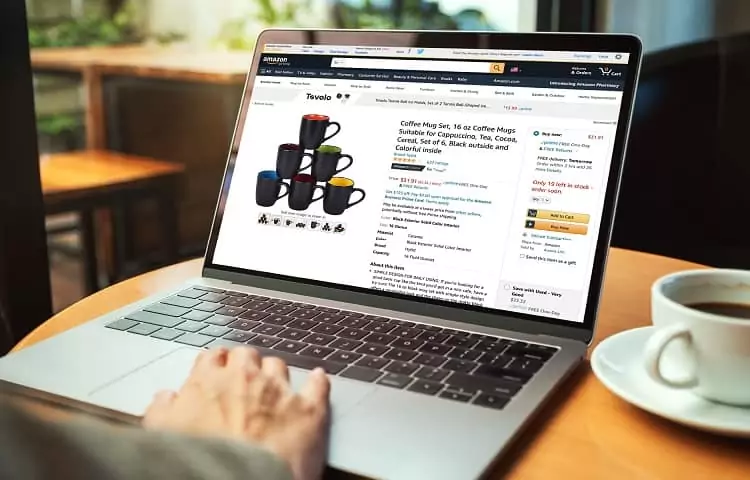
High-quality Amazon product images are one of the most powerful drivers of clicks and conversions on the Amazon marketplace. When customers scroll through search results, it’s the images—often even before they read the title—that grab their attention. Poor or unappealing visuals can quickly deter shoppers, while crisp, informative, and engaging images can significantly increase your click-through rate (CTR) and ultimately boost sales. In this comprehensive guide, we’ll show you everything you need to know to create and optimize Amazon product images that stand out. From Amazon’s strict image requirements to advanced best practices like lifestyle shots and image infographics, we’ll walk you through the strategies that seasoned Amazon sellers use to outperform the competition. Whether you’re selling private-label products, reselling well-known brands, or just starting as a new Amazon seller, following these guidelines will help your listings make a strong first impression on potential customers. In this article, we’ll explore: Why high-quality images matter for Amazon sales. Amazon’s official image requirements and guidelines you must follow. The types of images that work best, from main product photos to lifestyle images. Essential Amazon listing image best practices and photography tips. How to optimize Amazon product images (including alt text, naming conventions, and more). Techniques for taking professional-grade photos on a budget. When (and how) to consider professional Amazon product photography services. By the end, you’ll have a clear action plan to enhance your product listings with the visuals shoppers crave—so you can boost sales and build a more profitable Amazon business. 1. Why High-Quality Images Matter First Impressions Count In the fast-paced environment of online shopping, customers make snap judgments in seconds. If your images look fuzzy, poorly lit, or generally unprofessional, many shoppers will skip your listing before even reading the title. Conversely, an eye-catching, polished main image can spark interest, leading a shopper to click through and read more about your product. Images Communicate Key Product Features A well-crafted product listing image isn’t just about looking good; it’s also about conveying vital information. High-resolution photos let shoppers zoom in and inspect product details: texture, color, material quality, packaging, and more. Additional lifestyle or infographic images can highlight usage scenarios, dimensions, and special features. Essentially, images help shoppers visualize how they might use or benefit from your product—crucial for converting browsers into buyers. Professionalism and Trust In the crowded Amazon marketplace, product images are a proxy for brand credibility. Sellers who invest in high-quality Amazon listing images signal professionalism and reliability. Buyers are far more likely to trust a brand that presents its items with consistent, well-lit, on-brand photography rather than a mishmash of low-res or inconsistent images. This trust factor can make a huge difference in your overall conversion rates and brand loyalty. Higher Conversion Rates and Sales Ultimately, high-quality Amazon product images often correlate with improved search rankings, higher click-through rates, and better conversions. Amazon’s algorithm rewards listings with better sales performance, so strong imagery can start a positive cycle: more clicks lead to more purchases, which can lead to improved ranking and more visibility. This virtuous cycle highlights the importance of proper Amazon product photography for any seller seeking to stand out. 2. Understanding Amazon’s Image Requirements Before diving into specific Amazon product photography tips, it’s vital to grasp Amazon’s baseline rules and guidelines. Amazon enforces these standards to ensure consistency and protect customers from misleading or low-quality visuals. Main Image Requirements Pure White Background: Amazon requires that the primary (or “main”) image has a pure white background (RGB 255, 255, 255). This means no props, no text, and no watermark—just the product on a white backdrop. Product Fill the Frame: The product should occupy at least 85% of the frame, minimizing unnecessary empty space. No Accessories Not Included: Everything shown in the main image must be part of what the customer will receive unless it’s a purely illustrative use (like packaging). Minimum Image Size: At least 1,000 pixels on the longest side. This dimension threshold enables Amazon’s “zoom” feature, which is critical for letting customers inspect product details up close. Additional Images and Variation Text and Graphics: For secondary images, you can include text overlays, comparison charts, bullet points, or other creative graphics that display product benefits. Lifestyle and Infographics: Lifestyle shots or infographics are allowed (and encouraged) for secondary images, as long as they accurately represent the product and do not violate any Amazon listing image policies. No Offensive Material: Amazon prohibits images containing adult content, violence, or other offensive scenarios. Adhering to Guidelines to Avoid Penalties Failing to follow Amazon product image requirements can result in warnings, suppressed listings, or even account suspensions if violations are severe or repeated. Often, new sellers unintentionally violate guidelines by, for instance, adding text to the main image or using a backdrop that isn’t pure white. Always double-check Amazon’s policies to avoid these pitfalls. 3. Types of Amazon Product Images (and When to Use Them) To fully illustrate your product and convince shoppers to buy, you should provide a range of image types. Each image angle or style serves a distinct purpose in your overall listing strategy. Main (Hero) Image Typically a straightforward shot of the product on a pure white background. Must comply with Amazon’s strict guidelines (85% of the frame, high-res, minimal props). This image is the “first impression” in search results and the first photo in your listing carousel. Lifestyle Images Show the product in a real-life context—being worn, used, or displayed in a relevant environment. Helps customers visualize how the product fits into their life. Great for products where scale or usage context is important (e.g., furniture, apparel, kitchen tools). Infographic or Feature Highlights Combine product photography with text overlays, arrows, or illustrations that highlight key features and benefits. Ideal for explaining a product’s unique selling points at a glance (e.g., highlighting durability, materials, or multi-functionality). Use consistent fonts and brand colors to maintain a professional look. Packaging and Accessory Shots Display the packaging if it’s part of the product’s appeal or includes
8 Ways Sellers Are Leveraging the Amazon Ranking Algorithm

Understanding how the Amazon ranking algorithm works is essential for any seller aiming to succeed on the platform. Amazon’s algorithm, including the A9 prioritizes customer experience and product relevance when determining where products appear in search results. By leveraging these key factors, you can improve your Amazon ranking, increase visibility, and drive more sales. Here are eight proven ways sellers are optimizing their strategies to make the most of the Amazon algorithm. 1. Mastering Keyword Relevancy Why It Matters The Amazon A9 relies heavily on keyword relevancy to determine how well your product matches a shopper’s search query. This means the keywords in your Amazon product listing must align with what potential buyers are searching for. How to Leverage It Conduct thorough keyword research to identify high-volume, relevant keywords. Use tools like Helium 10 or Jungle Scout to find backend keywords and long-tail phrases shoppers use. Incorporate these keywords naturally in your product title, bullet points, description, and backend keyword fields. Pro Tip: Avoid keyword stuffing—it can harm readability and impact customer satisfaction. 2. Optimizing Product Pages for Conversions Why It Matters The better your product page performs in converting visitors to buyers, the higher your product’s rank. Conversion rate is one of the top Amazon ranking factors. How to Leverage It Use high-quality images and infographics to showcase product features. Use Amazon Brand Story and A+ Features if you are registered in Amazon Brand Registry Write compelling Bullet Points that focus on customer benefits. Highlight competitive pricing and special offers to entice buyers. Include a detailed Q&A section to address common concerns. Use A+ Comparison table to Showcase More products with Similar Features. Pro Tip: A clean, professional product page reduces confusion and builds trust with shoppers. 3. Prioritizing Positive Customer Reviews Why It Matters The quantity and quality of product reviews directly affect your product’s rank in Amazon’s search results. Positive reviews boost buyer confidence and influence the Amazon A9 algorithm. How to Leverage It Encourage buyers to leave reviews by following up within Amazon Criteria after purchase. Address negative reviews promptly and professionally to show customers you care about their experience. Ensure your product matches the description to avoid returns and complaints. Pro Tip: Incentivize reviews through Vine Voices to jumpstart feedback for new products. 4. Driving Organic Sales Why It Matters The Amazon ranking algorithm prioritizes products with high sales velocity. The more sales you generate, the higher your product’s rank climbs. How to Leverage It Run promotional campaigns and discounts Coupons to increase initial sales. Use Amazon’s PPC ads to boost visibility and sales for new listings. Ensure your listing is well-optimized for organic sales by focusing on keywords and relevance. Pro Tip: Combine organic efforts with paid campaigns to maintain consistent sales momentum. 5. Enhancing Backend Keywords Why It Matters Backend keywords are invisible to customers but play a crucial role in helping Amazon understand your product. They improve your product’s visibility without cluttering your listing. How to Leverage It Include synonyms, alternative spellings, Misspells, and Spanish Keywords in your backend keyword fields. Focus on terms shoppers might use but don’t fit naturally into your public listing. Avoid using duplicate or irrelevant keywords to maximize space and effectiveness. Avoid using competitor brand names, as they will not contribute to ranking Pro Tip: Regularly update your backend keywords based on new trends and search query data. 6. Improving Customer Satisfaction Why It Matters Amazon’s A9 algorithm gives more weight to customer satisfaction, meaning your ability to meet buyer expectations can directly affect your ranking. How to Leverage It Maintain accurate descriptions and images to match customer expectations. Offer reliable shipping options and fast delivery. Provide excellent customer service by promptly responding to queries and complaints. Pro Tip: High satisfaction levels can lead to fewer returns and more repeat customers, boosting your overall performance. 7. Leveraging Competitive Pricing Why It Matters Price plays a significant role in whether customers choose your product over competitors. Competitive pricing not only helps you win the Buy Box but also signals value to the algorithm. How to Leverage It Monitor competitor prices using Amazon’s pricing tools. Offer bundles, discounts, or added value to stand out from similar products. Stay within Amazon’s pricing guidelines to avoid being de-ranked. Pro Tip: Regularly adjust your pricing to stay competitive without sacrificing profitability. 8. Monitoring and Adjusting Strategies Based on Data Why It Matters Amazon’s algorithm is dynamic, and staying on top of performance metrics is key to maintaining and improving your rank. How to Leverage It Use Seller Central to track sales, conversions, and customer behavior. Adjust your advertising campaigns, keyword strategy, and listing content based on data insights. Stay informed about updates to the Amazon A9 algorithm and best practices for optimization. Pro Tip: Monitoring the competitive landscape regularly helps you stay ahead of changes in trends and buyer preferences. Key Factors for Success in Amazon’s Algorithm To summarize, here are the key factors sellers should focus on to succeed in the Amazon marketplace: Keyword relevancy: Match your listing content to high-traffic search terms. Conversion rate: Optimize your product page to convert visitors into buyers. Customer reviews: Encourage positive reviews and manage feedback effectively. Sales velocity: Drive consistent sales through promotions and ads. Backend keywords: Use hidden fields to include additional search terms. Customer satisfaction: Deliver quality products and services to minimize complaints. Competitive pricing: Price your products attractively to win more buyers. Data-driven adjustments: Continuously refine your strategies based on analytics. By leveraging these strategies, you can improve your Amazon ranking and make the most of the powerful Amazon algorithm. Whether you’re a seasoned seller or just starting, understanding how Amazon’s A9 algorithms work is critical to your success in selling products and achieving sustained growth. Learn about product listing optimization on Amazon.
How to Successfully Launch a Product on Amazon: A Detailed Guide

Launching a product on Amazon is not just about listing an item and waiting for sales to come in; it’s about a strategic approach that covers everything from market research to post-launch optimization. If you’re aiming to successfully introduce a new product on this massive platform, here is a step-by-step guide that can help you maximize your product’s visibility, sales, and customer satisfaction. What Does a Product Launch on Amazon Involve? Unlike a simple product release, a product launch is a full-blown marketing strategy designed to generate buzz, attract customer interest, and drive initial sales that set the tone for future success. With millions of active sellers on Amazon, standing out requires more than just having a great product; it requires smart planning and execution. Step 1: Product Research Begin by identifying a product that not only fills a gap in the market but also resonates with your target audience. This involves analysing current market trends, customer needs, and potential profitability. Resources like Amazon’s Best Sellers, Movers and Shakers, and Product Opportunity Explorer can provide valuable insights into what products are currently capturing shoppers’ interests. Step 2: Competition Analysis Use tools such as Helium10 to conduct a thorough analysis of your competitors. This includes reviewing their product offerings, customer reviews, Q&A sessions, pricing strategies, unique selling propositions (USP), and overall market presence. Understanding your competition helps in positioning your product more effectively. Begin by identifying all the competitors offering similar products in the marketplace that will provide a clear picture of the competitive landscape. Direct Competitor For that, search by primary keyword (seed keyword) on amazon to identify the top products that appear in the search result. Focus on products with similar features, pricing, and target audiences as ours. Indirect Competitor Identify products that aren’t direct competitors but could be considered alternatives. These might target the same customer base with a slightly different value proposition. Compile a list of competitors as maximum as possible including their ASINs, Brand Names, Price Points. Analyse top competitor’s listing to understand what works in your category. By understanding how competitors position their products, use keywords, engage customers we can develop strategies that will help us in making our product stand out. Step 3: Identify Opportunity Keywords Keyword research is crucial. Identify high-volume search terms with low competition that are relevant to your product. Tools like Helium10, Jungle Scout, and AMZScout are invaluable here, helping you discover keywords that can improve your product’s visibility. Conducting keyword research is crucial for several reasons that are mentioned below. Understand Customer Search Behaviour Improve Product Visibility and Ranking Identify High-Intent Keywords Stay Competitive in the Marketplace Increase Conversion Rates Maximize Advertisement Efficiency Expand Keyword Opportunities By performing keyword research, we gain valuable insights into customer preferences, optimize our content for better search visibility, organic search rankings, and create a more competitive and relevant product listing on Amazon. This ultimately drives traffic, conversions, and sales. Step 4: Keyword Optimization Once you have your keywords, it’s time to use them strategically in your product’s title, bullet points, and description. This step is vital for SEO on Amazon and helps ensure that your product shows up in search results when potential customers are looking for items like yours. Let’s suppose you’re selling a travel-friendly backpack. Listing A Title: Black Mini Backpack Listing B Title: Classic Mini Backpack, Durable, Water-Resistant Backpack with Adjustable Shoulder Straps, Black The latter is more SEO-optimized, appealing, and hence discoverable to buyers. Step 5: Craft Compelling Images and A+ Content Visuals are key to attracting customers. If you are a registered brand on Amazon, utilize A+ content to enhance your product descriptions with rich media, including high-quality images and videos. Your main images should be clear and professional, showcasing your product’s best features. Listing Images Objectives Attract Attention: Capture the viewer’s eye with a visually striking and relevant image. Convey Value: Highlight key product features and benefits clearly. Ensure Clarity: Present the product in a well-lit, high-resolution photo to avoid any ambiguity. Showcase Usage: Depict the product in context to help customers visualize its use. Maintain Consistency: Align with brand aesthetics for a cohesive look. A+ or Premium A+ Images Objectives Enhance Understanding: Provide detailed information about the product’s features, benefits, and usage. Build Trust: Include brand story, testimonials, and certifications to establish credibility. Improve SEO: Optimize content with relevant keywords to increase search visibility. Engage Audience: Use rich media like images, videos, and infographics to keep the audience engaged. Encourage Conversion: Highlight unique selling points and address potential objections to drive sales. Step 6: List and Optimize PPC Keywords Develop a robust PPC strategy by setting up automatic, broad, and exact match campaigns. Manual campaigns can also be useful for highly targeted keywords. This will help you capture a wide range of potential customers right from the launch. Step 7: Pricing Strategy Consider initially lowering your product’s price to gain traction and improve ranking. A lower price can help attract the first batch of customers and generate the initial reviews necessary for long-term success. Step 8: Incentives through Discounts Boost your visibility and appeal by offering launch discounts. Amazon’s promotional features like coupons can be particularly effective in drawing in price-conscious shoppers. Step 9: External Promotions Leverage external marketing channels such as social media, email marketing, and your own website to drive additional traffic to your Amazon listings. This broadens your reach and supports your Amazon marketing efforts. Step 10: Amazon Vine Program Participate in the Amazon Vine program to get early reviews for your product. Reviews are crucial for building customer trust and can significantly impact your sales. Step 11: Utilize Fulfillment by Amazon (FBA) Using FBA can enhance your offering with Amazon’s customer service and quick delivery, which can improve customer satisfaction and increase your chances of winning the Buy Box. Step 12: Continuous Keyword and Listing Optimization Keep a close eye on your product’s performance. Use the first 30 days to make necessary adjustments to your keywords and listings without major
Amazon Competitor Analysis: Top Metrics to Track Competition

When it comes to e-commerce marketplaces, nothing compares to the bustle of Amazon, inviting hundreds of thousands of sellers every day. As a seller, things are likely to get pretty rough till you gain a ‘competitive advantage’ to stay atop. This requires a thorough Amazon competitor analysis, which lets you gauge where you stand and what strategies lead on the platform. What is Amazon Competitor Analysis? Competition analysis on Amazon is the process of examining and evaluating the weaknesses, strengths, strategies, performance, and offerings of competitors who sell similar or related products on the Amazon marketplace. This analysis provides insights into how competitors position their products, how is their product quality, how they promote their products, what is their listing content, why they attract customers, and drive sales. Benefits of Amazon Competitor Analysis for Sellers Whether you’re a small business owner or a big name, it’s crucial to know what you’re up against to build the right strategy. Remember, you can’t step into a soccer field without knowing who the opposing team is. It could be a local team (weak competition) or perhaps even world-leading champions (strong competition). Amazon competitor analysis is the bridge that gets you to the other end of the curve, i.e., optimizing your sales strategy to outperform the competitors. But taking a closer look, there’s a myriad of benefits competitor analysis brings you, including: Understand Market Potential There’s no denying the immense potential Amazon holds, but analysing competitors’ standings tells you exactly how profitable your niche may be. Are there enough buyers? Are competitors thriving or barely making sales? Once you study your competitors, you can answer these questions. This lets you decide if the niche is worth pursuing and whether it requires a spot-on strategy. Identify Trends & Consumer Preferences A deep Amazon competitor analysis allows you to quickly catch on to trends and explore what your customers love at the moment. Depending on your product, it becomes easy to discover the colours, features, or bundles selling like hotcakes. This way, you can align your offerings with your customer needs and even make the needful tweaks within your current listings. Set Competitive Prices In a marketplace as dynamic as Amazon, your price strategy can practically make or break your sales. Too high a price could mean losing your customers to the competition, while too low means undervaluing your offering. A comprehensive Amazon competitor analysis allows you to set competitive rates for your products. Plus, looking into your rival’s sales history also tells you a lot about how prices fluctuate over time. Identify Gaps to Make Your Product Stand Out Even if your competitors appear to be doing great, remember – they’re not perfect. Looking into their reviews and identifying gaps within their product strategy opens you up to a world of opportunities. While this may take a bit of hard work, it lets you position yourself in a ‘compelling’ spot for the buyers. If done right, this is your way of adding the value that customers desire. Marketing Insights Simply creating a product listing and waiting for sales isn’t enough. It’s essential to invest in marketing efforts to increase your product’s visibility and attract more shoppers, ultimately driving sales. Analysing how competitors promote their products can provide valuable insights about the keywords your competitors are ranking for and the promotions they’re running. Ultimately, you can work on your advertising campaigns in ways that draw more audience. 1. Identify Your Competitor on Amazon Begin by searching on amazon with various relevant keywords and product names to uncover a broad range of options. Identify the top-ranking products that appear in the search results. Identifying competitors on Amazon is a crucial step in understanding the marketplace, pricing strategies, and consumer preferences. Focus on the products that have similar designs with yours. Analyse high-performing listings by examining their sales data through tools like Helium 10, prioritizing those with strong sales velocity and consistent rankings. Compare the price ranges of these products to understand competitive tiers. Pay attention to their product’s ratings and review. Evaluate the visual presentation, including product images, infographics, lifestyle visuals, and A+ content, for creativity and professionalism. Note the listing categories and browse nodes competitors use. Identify the unique selling proposition (USP) competitors highlight. Direct Competitor Direct competitor refers to a seller offering a product that is nearly identical to yours, targeting the same audiences, their products have a design, functionality, or features closely matching yours, and their pricing aligns with your product’s range. Indirect Competitor Identify products that aren’t direct competitors but could be considered alternatives. These might target the same customer base with a slightly different value proposition Analyse top competitor’s listing to understand what works in your category. By understanding how competitors position their products, use keywords, engage customers we can develop strategies that will help us in making our product stand out. Assess Your Competitors’ Product Listings: The best way to begin a solid Amazon competitor analysis is by deeply analysing your competitors’ product listings. Ideally, create a separate document/spreadsheet to track what they’re doing smart. The basic areas you should evaluate include: Product Titles Since the product title is the first thing a buyer sees, watch closely how your competitors craft their titles to catch attention. This will give searchers a clear idea of whether the product is the best fit for them. Also, check if your competitors are using the keywords without cramming too much. This helps you analyse anything they’ve missed that you can add to your title to make it more appealing. If you find optimizing amazon’s product titles tricky, you can turn to Helium10. Simply log in to their Listing Builder, add your keyword list, and the tool will do the magic for you! Product Descriptions Next up, monitor your competitor’s product descriptions. The best ones are clear, short, and reader-friendly — no keyword stuffing, fluff, or repetition. View the description from a buyer’s perspective, and ask yourself if the brand could’ve done a better job.
FBA vs FBM: Which Is Right for Your Business?

If you’re selling on Amazon, deciding between Fulfillment by Amazon (FBA) and Fulfillment by Merchant (FBM) is one of the most important decisions you’ll make. Each fulfillment option comes with its own advantages, costs, and challenges. But which one is the best fit for your business? This guide will walk you through the pros and cons of FBA vs FBM, helping you make an informed choice based on your specific needs. What Do FBA and FBM Mean? Before diving into the details, let’s clarify the difference between these two fulfillment models. Amazon FBA Meaning Fulfillment by Amazon (FBA) means you send your inventory to Amazon’s warehouses, and they handle the entire order fulfillment process, from storage to shipping and even customer service. Amazon FBM Meaning Fulfillment by Merchant (FBM) means you manage your own fulfillment process. You store inventory, ship products, and handle customer service independently. Both options have their unique benefits and costs, which we’ll explore below. How Does Each Fulfillment Option Work? Fulfilled by Amazon (FBA) With Fulfillment by Amazon FBA, you: Send inventory to an Amazon fulfillment center. Pay fulfillment fees for storage and handling. Benefit from the Prime badge, which increases product visibility and appeals to Prime customers. Let Amazon handle shipping costs, customer inquiries, and returns. Fulfillment by Merchant FBM With Fulfillment by Merchant FBM, you: Store inventory at your own facility. Manage the order fulfillment process, including packing and shipping. Avoid paying Amazon’s long-term storage fees. Handle customer service directly. FBA vs FBM: Key Differences Feature Fulfillment by Amazon (FBA) Fulfillment by Merchant (FBM) Fulfillment Process Managed by Amazon Managed by the seller Prime Badge Automatically included Not guaranteed Fulfillment Fees Includes storage, packing, shipping No Amazon fulfillment fees Customer Service Handled by Amazon Handled by the seller Shipping Costs Included in FBA fees Paid directly by the seller Control Over Inventory Limited once sent to Amazon’s warehouses Full control over inventory Service Fees High Amazon FBA fees Lower service fees Pros and Cons of Fulfillment by Amazon (FBA) Pros of FBA Prime Badge: Your products get the coveted Prime badge, increasing sales potential. Customer Trust: Amazon handles shipping and customer service, offering a seamless buying experience. Time-Saving: The fulfillment process is entirely outsourced. Improved Rankings: Products with the Prime badge often rank higher in search results. Cons of FBA Fulfillment by Amazon Fees: These include storage, picking, packing, and shipping fees, which can add up quickly. Long-Term Storage Fees: Keeping inventory in Amazon’s warehouses for too long incurs extra charges. Less Control: Once your inventory is at an Amazon fulfillment center, you have limited oversight. High Service Fees: You’ll be paying Amazon for every step of the process, including handling returns. Pros and Cons of Fulfillment by Merchant (FBM) Pros of FBM Lower Fulfillment Cost: You avoid Fulfillment by Amazon fees and other associated costs. Full Control: You oversee the entire process, from inventory management to customer service. No Long-Term Storage Fees: You store inventory in your own facility, eliminating Amazon’s storage charges. Flexible Shipping Costs: FBM sellers can choose shipping carriers and negotiate better rates. Cons of FBM No Automatic Prime Badge: Unless you qualify for Seller Fulfilled Prime, your products won’t have the Prime badge. Time-Intensive: Managing order fulfillment takes significant time and effort. Customer Expectations: FBM sellers must meet Amazon’s high standards for customer satisfaction. Limited Exposure: Products without the Prime badge may have less visibility on Amazon. Understanding Fulfillment Costs Both FBA and FBM come with their own fulfillment costs. Here’s a breakdown: Fulfillment by Amazon Fees Amazon charges for: Storage Fees: Based on the volume of space your products occupy. Referral Fees: A percentage of each sale, based on product category. Service Fees: For handling returns and customer service. Example: A small item might incur $3–$4 in FBA fees, but larger items can cost much more due to higher shipping costs and storage needs. Fulfillment by Merchant Costs FBM sellers handle their own expenses, including: Shipping materials (boxes, labels, etc.). Labor for packing and shipping orders. Warehouse storage costs if using a third-party facility. While FBM avoids many of Amazon’s charges, the cost of running your own operation can add up, especially for smaller businesses. When to Choose FBA Fulfilled by Amazon is ideal if: You want to target Prime customers. You sell small, high-volume products that won’t rack up excessive storage fees. You want Amazon to handle customer service and returns. You’re scaling up and need to save time on logistics. When to Choose FBM Fulfillment by Merchant is better if: You sell large or slow-moving items that would incur high long-term storage fees with FBA. You already have a reliable logistics setup for storing and shipping products. You want full control over your inventory and customer service. You’re looking to save on fulfillment fees. How Amazon Seller Central Helps with Both Regardless of whether you choose FBA or FBM, Amazon Seller Central is your hub for managing your business. It allows you to: Monitor sales and performance metrics. Adjust product listings and pricing. Track customer feedback and reviews. By mastering Seller Central, you can optimize your order fulfillment process and keep your business running smoothly. FBA vs FBM: Making the Right Choice The choice between FBA vs FBM ultimately depends on your business model and priorities. If convenience, scalability, and customer trust are your main goals, Fulfillment by Amazon FBA is a great option. On the other hand, if you value control and lower costs, Fulfillment by Merchant FBM might be the better fit. Questions to Ask Yourself: Can I manage inventory and shipping on my own? Do I want to target Prime customers with the Prime badge? How much am I willing to spend on fulfillment costs and Amazon charges? What are my product sizes, volumes, and storage needs? By evaluating these factors, you’ll be able to choose the fulfillment option that aligns with your business goals and budget. The Bottom Line Choosing between fulfilled by Amazon and fulfillment by merchant is a big decision for any Amazon seller. Both options come with distinct benefits and challenges, but understanding your business’s needs and priorities will help you
Leveraging Amazon Vine Program for Your New Products

Why Reviews Matter on Amazon? Selling on Amazon is both an opportunity and a challenge. As the world’s largest online marketplace, it connects millions of customers with sellers every day. However, the nature of the platform means you are not in direct contact with your customers. Instead, customers perceive your brand through your product listings, which are composed of titles, bullet points, descriptions, images, and A+ content, Ratings and Reviews. While you control Few elements, reviews and ratings remain in the hands of your customers. These are pivotal because: Ratings: The star rating (out of 5) visible below the product title gives customers a quick snapshot of product quality. A high rating builds trust, while a low one deters buyers. Reviews: Beyond ratings, reviews provide detailed feedback from customers. They explain the reasons behind the likes and dislikes and influence buying decisions significantly. However, generating reviews, especially positive ones, is not always straightforward. This is where the Amazon Vine Program becomes a game-changer. It allows sellers to obtain authentic, detailed, and unbiased reviews from trusted customers to improve their product visibility, credibility, and sales Amazon Vine offers a solution to gather authentic, unbiased reviews, especially for new or less popular products, helping sellers understand customer sentiment and improve their offerings Understanding Customer Reviews on Amazon What Are Customer Reviews? Customer reviews on Amazon help potential buyers understand more about a product before purchasing. According to Amazon, these reviews: Provide insights into product performance and features. Allow brands to monitor feedback and improve their offerings. Help customers make informed purchasing decisions The Importance of Customer Reviews: Trust Building: Reviews increase trust among potential buyers, especially for new or lesser-known brands. Sales Impact: Products with more reviews tend to convert better. Positive reviews increase the likelihood of purchase, while negative ones can significantly deter buyers. Feedback for Improvement: Sellers can identify flaws or areas of improvement from reviews. Key Statistics (Reference: https://www.brightlocal.com/research/local-consumer-review-survey-2020/) 87% of customers read reviews before making a purchase. 48% of customers won’t consider a product with less than 4 stars. 73% of buyers prioritize reviews from the last month. 90% of customers rely on reviews to make buying decisions. These numbers emphasize the importance of reviews in shaping customer opinions and driving sales on Amazon. The Role of Reviews in Amazon Success How Reviews Influence Sales Boosting Conversion Rates: Products with positive reviews attract more customers and improve the likelihood of purchase. Improving Search Rankings: Reviews are a key factor in Amazon’s A9 search algorithm. More reviews (especially positive ones) can push your product higher in search results. Enhancing Brand Reputation: Detailed reviews from credible sources, like Vine Voices, establish your brand’s authority and trustworthiness. Examples of Review Impact: A product with 50 positive reviews is more likely to convert compared to one with fewer than 5 reviews. (Even a single negative review can significantly deter potential buyers, especially if it highlights major flaws.) What is the Amazon Vine Program? The Amazon Vine Program is a powerful solution to overcome the challenge of gathering high-quality reviews, especially for new or slow-moving products. It connects sellers with a group of trusted reviewers, known as Vine Voices, who provide authentic In-Depth reviews in exchange for free products which often include photos and videos. Please find below Screenshot of Vine Review. 1. How Does Amazon Vine Work? Enrolment: Sellers enrol eligible products in the Vine Program by paying a fee. Product Distribution: Vine Voices receive the enrolled products for free. Review Submission: Reviewers use the products and provide detailed, unbiased reviews on the product page. 2. Why Vine Reviews Stand Out: Increased Trust: Reviews from Vine Voices are unbiased and trustworthy. Credibility: Vine Voices are chosen based on the quality and helpfulness of their past reviews. Detail-Rich: Vine reviews often include images, videos, and comprehensive descriptions. Early Feedback: Vine reviews provide sellers with valuable insights into their products’ strengths and weaknesses. Boosted Sales: Products with reviews have higher conversion rates. Actionable Feedback: Sellers gain insights into product strengths and areas for improvement. 3. Steps to Enroll in Amazon Vine Eligibility Have a Professional seller account. Own a registered brand enrolled in Amazon’s Brand Registry. The product being enrolled in the Vine program must have fewer than 30 reviews or ratings It’s important to note that only Amazon’s FBA products are eligible for Vine To be eligible for Vine, you will need to have sufficient inventory. Although Amazon has not defined this sufficient inventory with a specific number, we can assume it’s minimum inventory The product must be launched and live at the time of enrolment. By meeting these criteria, sellers can enroll in the Amazon Vine program and provide their products to Vine members in exchange for honest and unbiased reviews Finally, it’s important to recognize that not all applicants will be accepted into the program, as Amazon reviews each application on a case-by-case basis 4. Enrollment Process Go to the Advertising tab in Seller Central and select Vine. To enrol products into Amazon Vine, search for an ASIN and click Begin enrolment Select the number of units (1-30) and confirm the enrolment 5. How It Works Rate card (effective October 19, 2023) Vine enrolment fee will be charged once per parent ASIN depending on the number of units enrolled. The enrolment fee will be billed after 30 days from the date of enrolment if the product has received at least one Vine review. If no review is received within the first 30 days, then billing will occur when the first Vine review is created before the enrolment concludes. You can add units to your enrolment within 30 days of the start date. Removing units is not allowed. If added units move you into a higher rate tier, an increase in rates will apply. Cost of Enrolment Units Enrolled Vine Enrolment Fee 1-2 $0 3-10 $75 11-30 $200 6. Fee example Example 1: Seller enrols three units for an ASIN and receives one Vine review within 10 days of enrolment. Seller
What is Amazon Seller Fulfilled Prime?

If you’re a seller on Amazon, you’ve likely heard about Seller Fulfilled Prime (SFP). It’s a game-changer for those looking to expand their business and reach Prime customers without relying entirely on Fulfillment by Amazon (FBA). But what exactly is it, and how does it compare to other fulfillment options? Let’s dive in and break it all down. Understanding Amazon Seller Fulfilled Prime (SFP) In simple terms, Amazon SFP allows third-party sellers to offer Prime benefits—like two-day delivery—while fulfilling their orders directly from their own facilities. Unlike Fulfillment by Amazon (FBA), where Amazon handles storage and shipping from its fulfillment centers, SFP gives sellers more control over inventory management and shipping processes. By joining the Seller Fulfilled Prime program, you can tap into the massive customer base of Prime customers without incurring storage fees or relinquishing control over your inventory. How Does Seller Fulfilled Prime Work? With Seller Fulfilled Prime (SFP), sellers use their own resources to fulfill orders while meeting Amazon’s stringent requirements. Once you qualify for the program, your products are labeled as “Prime” on Amazon’s website, making them more attractive to customers who expect fast and reliable shipping. Key Steps for SFP Sellers: Meet Seller Fulfilled Prime Requirements: Maintain a low order cancellation rate. Provide day delivery options to eligible regions. Use approved shipping carriers that meet Amazon’s speed and reliability standards. Ship Orders with Speed: Fulfill orders directly from your own facility while ensuring they meet Amazon’s two-day or same-day delivery standards. Manage Inventory: Keep accurate stock levels to avoid cancellations or delays. Monitor Performance Metrics: Use Seller Central to track metrics like shipping rates and order cancellations to stay eligible for the program. Seller Fulfilled Prime vs. FBA: What’s the Difference? Choosing between Seller Fulfilled Prime (SFP) and Fulfillment by Amazon (FBA) depends on your business needs. Here’s a quick comparison: Feature Seller Fulfilled Prime (SFP) Fulfillment by Amazon (FBA) Control Over Inventory Managed by seller Stored in Amazon’s fulfillment centers Shipping Costs Paid by the seller Included in FBA fees Storage Fees No storage fees Charges based on storage duration Prime Badge Available to eligible sellers Automatically provided Flexibility High Moderate Benefits of the Seller Fulfilled Prime Program Why are so many sellers opting for Amazon SFP? Here are some major perks: 1. Access to Prime Customers: Prime members love their perks, and displaying the Prime badge makes your products more appealing to them. 2. No Storage Fees: Unlike FBA, SFP sellers don’t have to worry about paying storage fees at Amazon’s facilities. 3. Full Control Over Inventory: With SFP, you handle inventory management, allowing you to make quick adjustments and stay on top of your stock. 4. Cost Savings: Sellers can reduce overall shipping costs by choosing their own carriers, provided they meet Amazon’s standards. 5. Brand Reputation: By ensuring fast and reliable delivery, SFP sellers can build trust and loyalty with their customers. Challenges of Seller Fulfilled Prime While the benefits are significant, Seller Fulfilled Prime SFP isn’t without its challenges. Here’s what to keep in mind: 1. Strict Seller Fulfilled Prime Requirements: To maintain eligibility, you need to meet Amazon’s high standards for shipping speed, accuracy, and customer satisfaction. Failure to do so could result in losing your Prime status. 2. Higher Shipping Costs: Although you can choose your shipping carrier, meeting the two-day delivery promise often means paying premium shipping rates. 3. Time-Consuming: Managing your own fulfillment can be time-intensive, especially compared to using Amazon’s FBA services. 4. Risk of Order Cancellations: A high order cancellation rate can negatively impact your eligibility. Accurate inventory management is critical to avoid this. Who Should Consider Seller Fulfilled Prime? The Seller Fulfilled Prime program is ideal for sellers who: Have their own robust fulfillment infrastructure. Want to avoid FBA’s storage fees. Are comfortable handling inventory management and shipping logistics. Need flexibility in fulfilling their orders while maintaining the Prime badge. If you’re just starting out or lack the resources to meet Amazon’s requirements, Fulfillment by Merchant (FBM) or FBA might be a better fit. How to Become Eligible for Seller Fulfilled Prime To qualify for Amazon’s Seller Fulfilled Prime program, you’ll need to: Complete a trial period during which you demonstrate your ability to meet Prime delivery standards. Use shipping carriers approved by Amazon. Maintain excellent performance metrics, including low order cancellation rates. Meet the requirements for two-day or same-day delivery. Pro Tip: Use Seller Central to monitor your performance and ensure you stay on track. How Seller Fulfilled Prime Shipping Rates Work Unlike FBA, where shipping costs are included in the fees, SFP sellers are responsible for their own shipping rates. To stay competitive, you’ll need to balance fast delivery with cost-effective solutions. Tips for Managing Shipping Costs: Negotiate rates with your shipping carrier for frequent use. Use regional warehouses or fulfillment centers to reduce delivery times and costs. Monitor delivery performance to ensure you meet Prime standards without overspending. Tips for Succeeding with Amazon SFP If you decide to join the Seller Fulfilled Prime program, here are some strategies to help you succeed: Invest in Reliable Logistics: Make sure you have the infrastructure to meet delivery promises consistently. Optimize Inventory Management: Keep track of stock levels to avoid cancellations or delays. Maintain Excellent Customer Service: Respond quickly to queries and resolve any issues to boost satisfaction. Monitor Metrics Regularly: Use Seller Central to track performance and identify areas for improvement. Is Seller Fulfilled Prime Right for You? Amazon SFP is a fantastic option for sellers who want to maintain control over their fulfillment process while accessing the benefits of the Prime badge. It bridges the gap between Fulfillment by Merchant and Fulfillment by Amazon FBA, offering a flexible yet powerful solution for fulfilling orders. While it does come with challenges like higher shipping costs and strict seller fulfilled prime requirements, the benefits of increased visibility, access to Prime customers, and no storage fees can outweigh the drawbacks for the right seller. If you have the resources and are ready to take your Amazon business to the next level, the